ChatGPT Is Describing Your Business Wrong: How to Find Out and Fix It
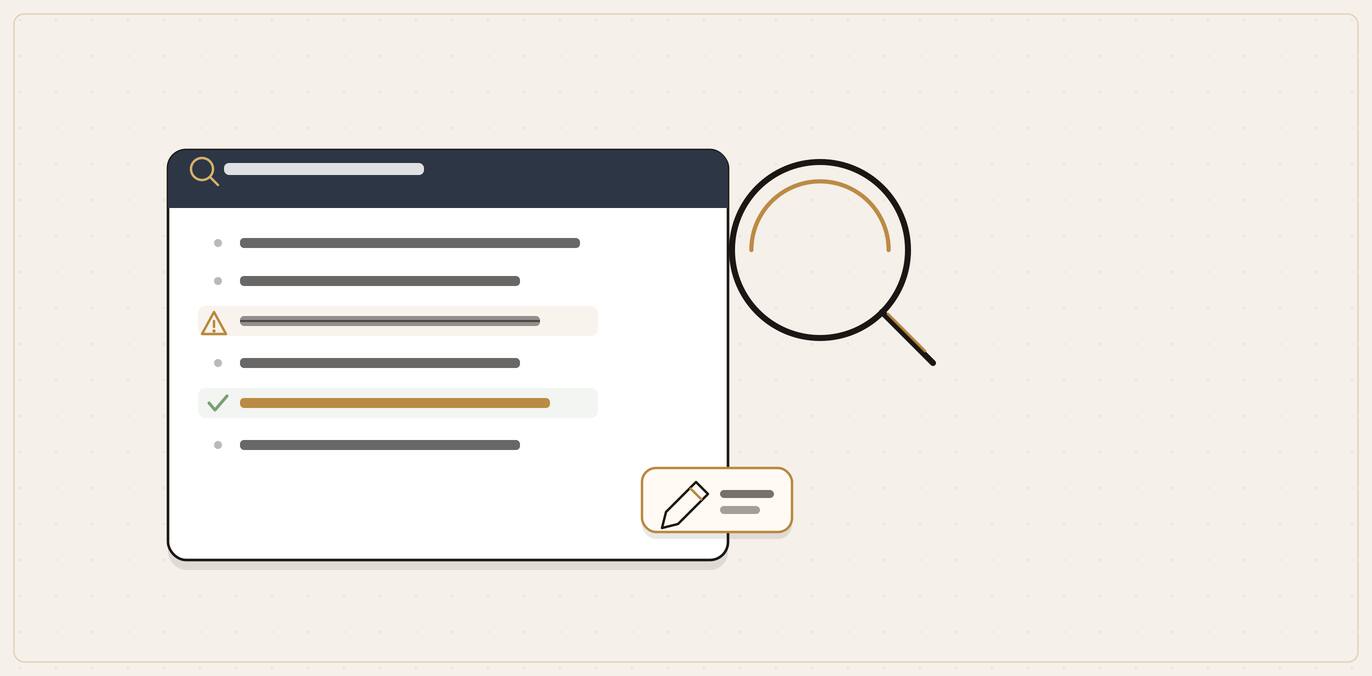
You usually cannot edit an AI tool directly, but you can fix what it reads. An answer engine builds your description from many sources across the web, so a wrong fact or a sour tone comes from stale, conflicting or unflattering pages. The fix is to find exactly what ChatGPT, Perplexity and Google AI say about you, then correct the sources in order of trust: your own website, your Google Business Profile, then the third-party pages the AI cites. Make your name, address and details agree everywhere, and re-test after a few weeks.
You ask ChatGPT about your own business and the answer is off. It lists a service you stopped offering two years ago. It gives an old phone number. It says you only cover one town when you cover six. Or it describes you in a flat, slightly negative way that does not match the business you actually run.
This is more common than most owners expect, and it matters more than a single wrong fact suggests. When an AI tool answers a buyer's question, it is not reading your mind or your latest website update. It is summarising whatever it has learned about you from across the web. If that picture is out of date or unflattering, the AI passes the bad version on to a potential customer, and you never get to correct it in the moment.
The good news: you usually cannot edit the AI directly, but you can fix the things it reads. This guide shows you how to find exactly what AI says about your business, how to tell a harmless quirk from a real problem, and how to correct the underlying signals so the next answer is accurate.
If you are new to all of this, our guide to Answer Engine Optimisation for local businesses covers the wider picture of how AI tools choose and recommend businesses. This post is the focused fix-it version for when the answer is simply wrong.
Key takeaways
- The AI reads about you, it does not know you. It builds your description from your website, Google profile, directories, reviews and old pages, so wrong or conflicting sources produce wrong answers.
- Find the evidence first. Ask ChatGPT, Perplexity and Google AI the questions a customer would, and record the exact prompt, what was said, what was wrong, the tone and any cited sources.
- Fix the sources, not the chatbot. You cannot edit the AI, but you can correct what it reads, in order of control: your website, your Google Business Profile, then the third-party pages it cites.
- Consistency removes most errors. When your name, address, phone, hours and service area agree everywhere, the AI stops guessing and many inaccuracies fade on their own.
- Tone takes longer than facts. A flat or negative description shifts through recent genuine reviews, answered complaints and credible mentions, not a single edit; re-test after a few weeks.
Why AI gets your business wrong in the first place
An answer engine does not hold a tidy, official record of your business. It builds a description from many sources at once: your website, your Google Business Profile, directories, review sites, social profiles, local news, forum threads and older pages that may no longer reflect reality.
Find out first
Build a specific, written record
The tools buyers use
Check ChatGPT and the other engines your customers actually reach for.
Real customer questions
Use the wording a real buyer would, not your own brand name.
Write down what you find
Note the exact wrong claim, so you have something specific you can act on.
Repeat and check
See whether the error is consistent or just one-off variation before you fix anything.
Three things go wrong from there.
It reads stale information. If an old directory listing still shows your previous address, or a three-year-old blog post lists services you have dropped, the AI may treat that as current. It has no reliable way to know which version is newest unless the web largely agrees.
It picks up conflicting facts. When your website says one thing, a directory says another and an old social profile says a third, the AI has to guess. Sometimes it guesses wrong. Inconsistent information across the web is one of the most common reasons a business gets described inaccurately.
It reflects tone, not just facts. Answer engines do not only repeat details; they also pick up the sentiment of the pages they read, so a positive or negative mood in those sources can carry through into the answer. If the most-cited pages about you carry an old complaint or a lukewarm comparison, that mood can colour the answer.
There is also a moving target underneath all of this. AI platforms change how they describe businesses without warning. In mid-October 2025, for example, Profound, a company that sells AI-visibility tracking tools, reported that ChatGPT began tagging brands as structured entities and, at the same time, cut the average number of brand mentions per response from around six or seven to around three or four (Profound, ChatGPT's entity update)[1]. Treat the exact figures as vendor research, but the direction is the point: when the number of businesses named in each answer shrinks, being described accurately and positively stops being a nicety and becomes the difference between making the shortlist and vanishing from it.
First, find out exactly what AI says about you
Before you fix anything, you need evidence. Vague worry ("AI gets us wrong") is not something you can act on. A specific, written record ("ChatGPT lists our old Tuesday hours and says we do not do emergency callouts") is.
Set aside an hour and work through the main tools your customers use.
Test the tools your buyers actually use
Start with three:
ChatGPT. Use the web-enabled version where you have it, because a model that cannot browse may be working from older training data and will not reflect recent fixes.
Perplexity. It behaves more like a search engine and usually shows its sources clearly, which makes it the easiest place to see where a wrong fact came from.
Google AI Mode or Google's AI answers. Many customers still begin inside Google, so test there too.
Bring in Copilot or Gemini once the main two are covered. Three platforms are enough for a first read on whether you are described accurately.
Ask the questions a real customer would ask
Test the prompts a customer would use, not just a search for your own name:
- "Is [your business name] any good for [service]?"
- "What does [your business name] do?"
- "What are [your business name]'s opening hours?"
- "Does [your business name] cover [town]?"
- "Best [your service] in [your town]"
- "Who should I call for [problem] in [area]?"
The brand-name prompts reveal what AI thinks the facts are. The category prompts ("best plumber in...") reveal whether a wrong or weak description is quietly costing you the recommendation.
Record what you find
For each answer, write down:
- The date and the tool.
- The exact prompt.
- What the AI said about you.
- Anything inaccurate: wrong services, old hours, wrong address or phone, a town you do not cover, a service you no longer offer.
- The tone. Was it positive, neutral or quietly negative?
- Any sources the tool showed, especially in Perplexity and Google.
That last column is the important one. The cited sources are your trail of evidence. If Perplexity names a directory page when it gets your hours wrong, you have just found the page to fix.
For a fuller method on running these checks and tracking them over time, see our guide on how to check whether AI mentions your business. This post assumes you have already found a problem and want to correct it.
Tell a real problem apart from normal variation
Not every odd answer is a crisis. Before you spend a weekend rewriting pages, sort what you found into three buckets.
Sort it first
A real problem, or normal variation?
Ask
Does the same wrong claim show up consistently across tests?
Fix the sources
A repeatable factual error points to a wrong source the engine keeps reading. Correct it at the root.
Leave it for now
A one-off phrasing difference is normal variation, not a crisis worth a weekend of rewriting.
A genuine factual error. Wrong phone number, old address, a service you do not offer, a town you do not cover, hours that are months out of date. These are worth fixing properly, because they actively mislead a buyer and can send them to a competitor.
A tone or sentiment problem. The facts are roughly right, but the description is flat or faintly negative, or it leans on an old complaint. This is also worth addressing, though it takes longer and works through the weight of evidence rather than a single edit.
Normal variation. The answer simply changed between Tuesday and Friday, or one tool names you and another does not. AI answers are not fixed rankings, so a single odd result is rarely a problem on its own. Look for a pattern across several prompts and a few days before you treat something as broken. If the wrong fact appears again and again, it is real. If it showed up once and never returned, note it and move on.
The rule of thumb: chase repeated, specific, factual errors first. They are the most damaging and the most fixable.
The core fix: correct the sources, not the chatbot
Here is the principle that saves owners a great deal of wasted effort. You generally cannot log in to ChatGPT and edit what it says about you. What you can do is correct the information it reads, so the next time it builds an answer, it builds a better one.
Side by side
Correct the sources, not the chatbot
| Editing the chatbot | Correcting the sources | |
|---|---|---|
| Can you do it? | No: you generally cannot log in and edit what it says | Yes: you can fix the information it reads |
| What it changes | Nothing lasting | The next answer it builds, because the inputs are better |
| Where the effort goes | Arguing with an output you cannot control | Your site, your Google profile and the third-party sources |
Work through the sources in order of how much control you have and how much the AI trusts them.
1. Fix your own website first
Your website is the source you control completely, and a sensible AI answer should lean on it for the basics. Make sure your most important pages state, in plain text:
The core fix
Correct the sources, in order
Fix your own website first.Make the facts on your site correct and current before anything else can confirm them.
Correct your Google Business Profile.Update the address, hours, contact info, category, service area and description on a verified profile.
Get the third-party sources corrected.Directories, review sites and old listings the engine still reads.
Make name, address and phone number agree everywhere.Consistent details across every source stop the engine merging you with the wrong record.
- Your correct business name, address and phone number.
- The towns and areas you actually serve.
- The services you offer now, and clear removal of any you have dropped.
- Current opening hours, including how emergencies or out-of-hours work.
Put these facts in real text, not buried in an image or a graphic, because some AI crawlers do not read text inside images and some do not run the JavaScript that loads certain page builders. If you are not sure your site is even readable to AI, our guide on whether AI can read your website explains the common trap and a simple self-check.
While you are there, hunt down old pages that contradict the current facts. An out-of-date "our services" page or an old location page can feed the AI the very error you are trying to remove. Update it or take it down.
2. Correct your Google Business Profile
For a local business, your Google Business Profile is one of the most influential records on the web. It feeds Google's own AI answers and is widely treated as a trusted fact source.
Google lets you edit a verified profile directly. Its own help page confirms you can update "details like your address, hours, contact info, and photos," along with your category, service area and business description, then says "we review your changes before we update them live on your profile" (Google Business Profile Help, Edit your Business Profile)[2]. So check, line by line:
- Business name spelled exactly as on your signage.
- Correct primary category and any genuine extra categories.
- Accurate address, or a correct service area if you do not meet customers at a premises.
- Current main hours, plus special hours for holidays.
- A description (up to 750 characters) that states what you do and the area you cover, in your own words.
If a fact on a profile you do not own is wrong, Google also lets you suggest an edit to someone else's listing. Use that for stray duplicate or outdated entries about your business.
3. Get the third-party sources corrected
This is where most owners give up too early. The wrong fact often lives on a page you do not own: a directory, a review site, a trade body listing or an old article.
You have more power here than you think. The move is to reach out to those third-party sites and request updates to the inaccurate content, starting with the most-cited pages so your effort has the maximum impact. Work down your evidence list:
- For directories (industry directories, local listings, trade bodies): claim or update your profile, or email the site and ask them to correct it.
- For review sites: make sure your business details are current, and respond properly to old reviews rather than leaving a one-sided story.
- For an old news article or blog mention: a polite note to the editor explaining what has changed often works, especially when you are simply asking them to fix a factual error.
Prioritise the pages your AI testing showed being cited. A correction on a page the AI already reads is worth far more than a correction on a page nobody links to.
4. Make your name, address and phone number agree everywhere
Underneath all of the above sits one quiet, powerful fix: consistency. When your website, your Google profile, directories and social accounts all state the same name, address, phone number, hours and service area, you remove the conflict that makes AI guess in the first place. When they disagree, you invite exactly the kind of wrong answer you are trying to stop. Spend an afternoon making every public record of your business say the same thing, and a surprising number of inaccuracies fade on their own.
Fixing tone, not just facts
A flat or faintly negative description is harder to shift than a wrong phone number, because no single edit fixes a mood. Tone in AI answers reflects the balance of what the web says about you, so you change it by changing that balance over time.
A few genuine, durable levers:
Build a genuine review habit. Recent, real reviews from happy customers are some of the strongest positive evidence an AI can draw on. Catch customers when they are happy, lower the friction to one tap, and answer reviews, including the awkward ones. No bought reviews, no leaning on people to leave them. Beyond the obvious risk, fake signals tend to read as exactly that and can do more harm than good.
Answer the old complaint in public. If a single unresolved issue keeps colouring your description, a calm, professional reply that shows it was handled does more for your tone than pretending it does not exist.
Earn a few credible mentions. Being named helpfully on sources the AI already trusts shifts both your visibility and your tone. Reddit is heavily cited in AI answers: independent browsing-data research from Pew Research Center found Wikipedia, YouTube and Reddit were the three most frequently cited sources in Google's AI summaries (Pew Research Center, July 2025)[3]. That makes a genuinely helpful presence in the right local or trade subreddit worth more than it looks, as long as you contribute as a real business that answers questions rather than an account that only promotes itself. The same applies to genuine answers in community forums and useful contributions to local press.
This is the slow part of the work, but it compounds. Each accurate page, real review and credible mention adds to the body of evidence the AI weighs the next time someone asks about you.
How to check your fixes are working
A correction is not instant. AI tools re-read the web on their own schedule, and a freshly updated directory page may take time to filter through into answers. So do not judge a fix by testing it an hour later.
Instead:
- Keep your testing notes from before the fixes. They are your baseline.
- Make your corrections across the website, Google profile and third-party pages.
- Wait. Give it a few weeks rather than a few hours.
- Re-run the same prompts, in the same tools, and compare against your baseline.
You are looking for the wrong fact to fade, the tone to lift, or your business to start appearing for category questions where it was absent. If a specific error survives several weeks after you corrected every source you could find, go back to your evidence list. There is almost always one more page carrying the old fact that you have not yet caught.
Common mistakes when fixing what AI says
Arguing with the chatbot. Telling ChatGPT it is wrong in a conversation does not update anything for the next person who asks. Fix the sources instead.
Fixing one page and stopping. If five sources carry the old fact and you correct one, the AI can still find the other four. Work through the whole list.
Ignoring your own old pages. Owners often blame directories when the contradiction is sitting on their own out-of-date services or location page.
Treating one odd answer as a disaster. AI answers vary day to day. Confirm a problem is repeated before you act on it.
Chasing tone before fixing facts. A wrong phone number sends a customer to a competitor today. Fix the hard factual errors first, then work on tone.
Buying fake reviews to improve sentiment. It is a reputational and legal risk, and AI tools are increasingly able to discount signals that do not look genuine. Real proof beats manufactured proof.
Frequently asked questions
Why does ChatGPT say wrong things about my business?
Because it builds your description from across the web, not from a single official record. If old or conflicting information sits on your website, your Google profile, directories or older pages, the AI can repeat it. The fix is to correct those sources so the next answer is built from accurate facts.
Can I edit what ChatGPT says about my company directly?
No. You cannot log in and rewrite the answer. What you can do is correct the underlying sources the AI reads, then re-test after a few weeks once the change has had time to filter through.
How do I find out what AI says about my business?
Ask ChatGPT, Perplexity and Google AI Mode the questions a customer would ask, including your business name and your main service-plus-town searches. Record what they say, what is inaccurate, the tone, and any sources shown. Our guide on checking whether AI mentions your business walks through the full method.
How long does it take to fix an inaccurate AI answer?
Allow a few weeks rather than days. AI tools re-read the web on their own schedule, so a corrected directory or profile takes time to show up in answers. Keep your before-and-after notes so you can confirm the change.
The wrong information is on a website I do not own. What can I do?
Contact the site and ask them to correct it, starting with the pages your testing showed being cited. For directories and listings, claim or update your profile. For an old article, a polite note to the editor about a factual error often works. On Google, you can also suggest an edit to a listing you do not manage.
AI describes my business in a negative tone even though the facts are right. How do I change that?
Tone reflects the balance of what the web says about you, so shift that balance: gather genuine recent reviews, respond professionally to old complaints, and earn helpful mentions on trusted sources. It is slower than a factual fix, but it lasts.
Which source should I fix first when AI gets my business wrong?
Start with your own website, because you control it completely and a sensible AI answer leans on it for the basics. Then correct your Google Business Profile, which is one of the most trusted local records. After that, fix the third-party pages, and among those prioritise the ones your testing showed the AI actually citing. A correction on a page the AI already reads is worth far more than one on a page nobody links to.
Is it worth fixing a wrong AI answer if I only appear sometimes?
Yes, especially now that some tools name fewer businesses per answer than they used to. When the shortlist is shorter, being described accurately and positively is often the difference between making it and being left out. Fixing the facts also helps you appear more consistently, because an engine is more confident recommending a business whose details agree across the web.
Do I need to test every AI tool, or are a few enough?
A few are enough for a first read. Start with ChatGPT, Perplexity and Google's AI answers, since those cover most of what customers use, and add Copilot or Gemini once you have those covered. Perplexity and Google tend to show their sources most clearly, which makes them the best places to trace where a wrong fact came from.
Can I make AI stop mentioning an old service I no longer offer?
Usually, by removing every trace of it from the sources the AI reads. Update or take down old "our services" or location pages on your own site, correct any directory or profile that still lists it, and make sure nothing current contradicts the change. Once the web largely agrees that you no longer offer it, the AI stops repeating it, though it can take a few weeks to catch up.
Get the wrong version corrected properly
An inaccurate AI answer is not something you have to live with, but it does take a clear-eyed look at every source feeding it. If you would rather not chase that trail yourself, a QBiz AI Visibility audit pinpoints exactly what ChatGPT, Google AI and Perplexity currently say about your business, traces each wrong fact or sour note back to the page causing it, and hands you an ordered list of the corrections that will actually move the answer.
Get your AI Visibility audit →
Sources
- [1] Profound, "ChatGPT's entity update: Fewer mentions, tougher competition": https://www.tryprofound.com/blog/chatgpt-entity-update (vendor research; reports ChatGPT began tagging brands as structured entities in mid-October 2025 and cut average brand mentions per response from ~6-7 to ~3-4)
- [2] Google Business Profile Help, "Edit your Business Profile": https://support.google.com/business/answer/3039617 (primary source: confirms owners can edit a verified profile's address, hours, contact info, photos, category, service area and description, and that Google reviews changes before they go live.)
- [3] Pew Research Center, "Google users are less likely to click on links when an AI summary appears in the results" (22 July 2025): https://www.pewresearch.org/short-reads/2025/07/22/google-users-are-less-likely-to-click-on-links-when-an-ai-summary-appears-in-the-results/ (independent source: Wikipedia, YouTube and Reddit were the most frequently cited sources in Google's AI summaries.)
Leave a comment
Thoughts on this post? Leave a comment below. Comments are moderated before they appear, so yours will not show on the page straight away.
Your email is used only to contact you about your comment if needed — it is never published.
Comments
No comments yet. Be the first to leave one above.