Google AI Overviews: How to Be the Business It Recommends
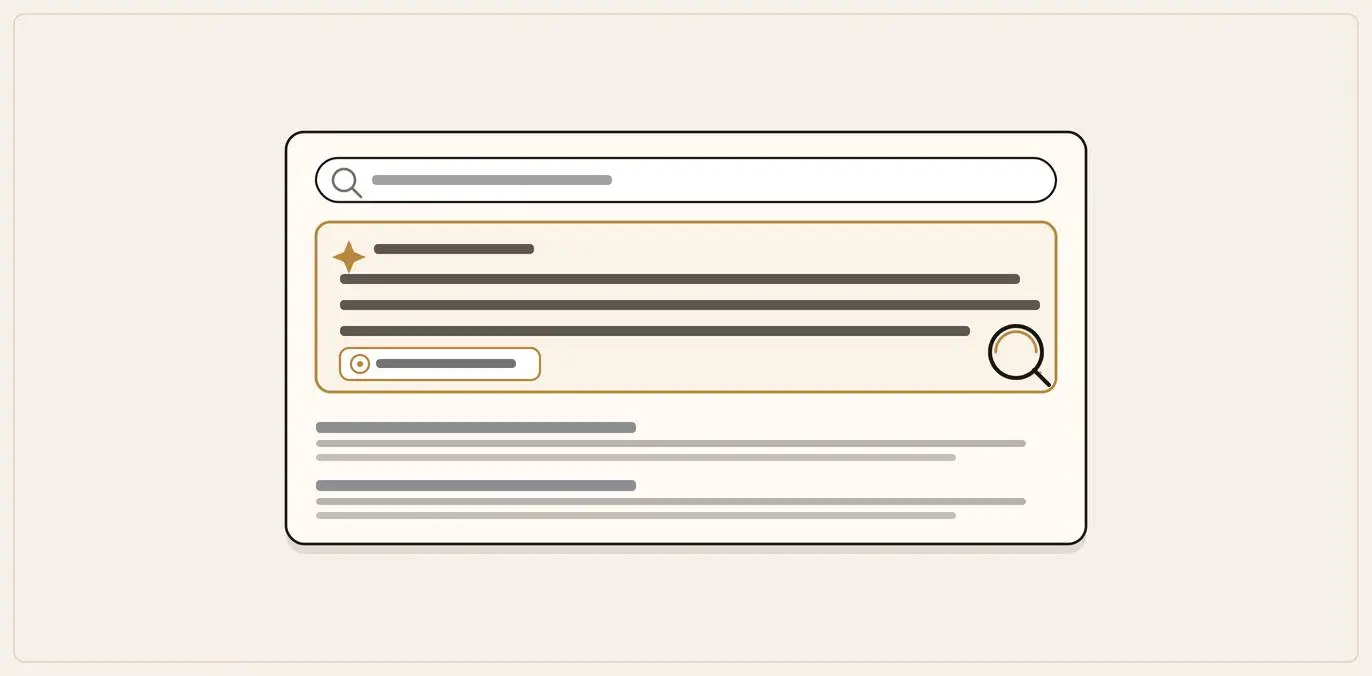
You get into a Google AI Overview the same way you get into normal Google results: there is no separate submission and no fee. Google states a page needs "no additional technical requirements" beyond being indexed and eligible to show with a snippet. So this is foundational SEO aimed at a slightly different target.
Make sure Google can crawl and read your site as text, complete and maintain your Google Business Profile, write clear service and area pages that answer the small questions a search fans out into, add structured data that matches your visible text, and build reviews and consistent listings across the web. You cannot pay for a spot, and you cannot force the AI box to appear: you influence whether you are in it when it does.
Key takeaways
- Being in the answer is the new front page. When an AI Overview names a business, most searchers act on it without scrolling to the blue links beneath.
- The eligibility bar is normal SEO. If your page can show in ordinary Google results with a snippet, it is already eligible for AI Overviews and AI Mode: there is no AI-only tax to pay.
- One question becomes many. Query fan-out breaks a search into subtopics, so answer the cluster (services, areas, prices, qualifications, process) rather than chasing one keyword.
- Your Google Business Profile does the heavy lifting. For a "near me" question it is one of the richest, most trusted sources Google has about you: complete it and keep it current.
- Fewer clicks, but warmer ones. Ahrefs measured a 34.5% lower click-through rate when an Overview appears, yet Google reports the clicks that do come through are higher quality.
You search for something on Google now and, more often than not, the first thing you read is not a list of links. It is a few paragraphs of answer, written by Google's AI, sitting above everything else. Sometimes it names specific businesses. Sometimes it links to a handful of sources. And a lot of the time, the person reading it never scrolls past it.
That box is called an AI Overview. Its conversational cousin, where you can ask follow-up questions like a chat, is called AI Mode. Together they have quietly changed what "showing up on Google" means. Ranking in the top three blue links still matters, but it is no longer the whole game. The new question is whether Google's AI mentions you, links to you, or pulls its answer from your page.
This guide is the owner-facing version of that question. Not a product announcement, not a developer manual: a plain-English explanation of how AI Overviews and AI Mode decide what to show, and exactly what a local or small business can do to be the business they recommend. If you have ever paid for search engine optimisation (SEO), most of this will feel familiar. None of it is exotic. It is just aimed at a slightly different target.
For the wider picture of how AI search affects local businesses across every platform, start with our pillar guide to Answer Engine Optimisation for local businesses. This page goes deep on Google specifically.
What AI Overviews and AI Mode actually are
It helps to be precise, because the two features behave differently.
AI Overviews are the AI-written summaries that appear at the top of an ordinary Google results page. You search as normal, and when Google decides an AI answer would help, it generates a short summary with a few supporting links attached. Google's own guidance is clear that these do not appear on every search: AI Overviews "are only shown when our systems determine that it is additive to classic Search, and as such, often don't trigger" (Google Search Central, AI Features and Your Website)[1]. So a chunk of searches still return the familiar blue links with no AI box at all. (For the numbers on how often Google actually answers with AI, we cover the latest data separately.)
AI Mode is the deeper, conversational experience. Instead of a single summary, you get a back-and-forth: you ask a nuanced question, Google gives a comprehensive answer with links, and you can keep asking follow-ups. Google describes it as particularly useful "for queries where further exploration, reasoning, or complex comparisons are needed", the kind of question that "might have previously taken multiple searches" (Google Search Central).
For a local business, both matter, but in different ways. AI Overviews catch the quick "who does X near me" and "how much does Y cost" questions. AI Mode catches the longer research questions, the ones where someone is comparing options before they pick up the phone: "I need a family solicitor in Cardiff, what should I look for and who's good?"
How common is this? AI-generated summaries now appear on a large share of everyday Google searches, especially the informational "how" and "who" questions a local customer asks first. This is not a fringe feature you can ignore until next year. Most of your customers have already met it.
What this changes for your leads, not just your rankings
Here is the uncomfortable part. When that AI summary appears, people click the underlying results far less often.
What it means for leads
The answer box changes where the value sits
34.5%
lower click-through to the top-ranking page when an AI Overview appears (Ahrefs, 300,000 keywords)
10%+
increase in usage Google reports for the query types that show AI features (May 2025)
In
being named in the answer is the new front page: the search benefits you whether or not anyone clicks
Warmer
Google says the clicks that do happen after an Overview are higher quality
Ahrefs, AI Overviews Reduce Clicks by 34.5%; Google, AI in Search (May 2025)
Ahrefs measured this directly across 300,000 keywords: when an AI Overview was present, the click-through rate for the top-ranking page was about 34.5% lower than for comparable informational searches without one (Ahrefs, AI Overviews Reduce Clicks by 34.5%)[2]. The click you have spent years trying to earn is leaking away to the answer box.
That cuts two ways, and the second way is the opportunity.
If the AI Overview answers the question and names a couple of businesses, those businesses get the benefit of the search whether or not anyone clicks. Being in the answer is the new front page. If your competitor is named in the summary for "emergency electrician in Bristol" and you are sitting at position four in the blue links underneath, a large share of searchers never see you at all. They read the summary, they get the name, and they act on it.
So the goal shifts. You are no longer only trying to rank a page. You are trying to be the source Google's AI trusts enough to quote, link, and name when someone asks about what you do. As Google itself says, the route in is not a separate dark art, which is reassuring for an owner who has already done the basics.
How Google decides what goes in an AI answer
You do not need to understand the engineering to benefit from it, but a short picture stops you wasting effort on the wrong things.
Query fan-out
How Google decides what goes in an AI answer
One question, many searches
Google issues multiple related searches across subtopics and data sources, not one query.
Best source per strand
It finds the clearest source for services, area, price, reviews and each sub-question.
Eligible, indexed pages
A page must already be indexed and eligible for a snippet: there are no additional technical requirements.
Answer and name
It assembles the summary from the best sources and names the businesses that answer the cluster clearly.
One question becomes many: query fan-out
The single most useful thing to understand is that Google no longer runs your question once. Both AI Overviews and AI Mode use a method Google calls "query fan-out": "issuing multiple related searches across subtopics and data sources" to build a single response (Google Search Central, AI Features and Your Website).
Picture someone asking AI Mode: "who's a good accountant in Leeds for a small limited company, and what should I expect to pay?" Behind the scenes, Google does not run that as one search. It fans out into several: accountants in Leeds, accountants who handle limited companies, typical fees for small-company accounts, reviews of local firms, and so on. Then it assembles the answer from the best sources it finds for each strand.
The practical lesson is large. You are not trying to win one keyword. You are trying to be a clear, quotable answer to the cluster of smaller questions around what you do: your services, the areas you cover, your prices, your qualifications, what the process looks like, what is included. Google itself notes that this fan-out lets it "display a wider and more diverse set of helpful links", which it says opens "new opportunities for exploration" for sites that might not have ranked first in classic search (Google Search Central). The more of those sub-questions your online presence answers plainly, the more doors you have into the answer.
The technical bar is the same bar you already know
This is the part owners most often get wrong, because the hype suggests there is some secret AI-only optimisation to buy. There is not. Google is unusually blunt about it:
"To be eligible to be shown as a supporting link in AI Overviews or AI Mode, a page must be indexed and eligible to be shown in Google Search with a snippet... There are no additional technical requirements." (Google Search Central, AI Features and Your Website)
In plain terms: if your page can already show up in normal Google results, it is already eligible to appear in an AI answer. The same foundational SEO that wins blue links wins AI mentions. There is no separate "AI Overviews tax" to pay.
Google lists the things that genuinely help, and none of them are surprising:
- Allowing crawling in your robots.txt (and not accidentally blocking Google at your hosting or CDN level).
- Making content easy to find through internal links on your own site.
- Making sure important content is available "in textual form", not locked inside images or scripts.
- Keeping structured data matched to the visible text on the page.
- Keeping your Business Profile information up to date.
(That last point matters more for local businesses than almost anything else, and we will come back to it.)
A quiet detail worth knowing: the clicks are better
One finding from Google's own guidance is easy to miss and worth holding onto. Google says that when people do click through from a results page that had an AI Overview, "these clicks are higher quality (meaning, users are more likely to spend more time on the site)" (Google Search Central). The reading is straightforward: the AI answer does some of the filtering for you. By the time someone clicks through after reading a summary, they are further along, more serious, closer to picking up the phone. Fewer clicks, but warmer ones.
The playbook: how to be the business Google's AI recommends
Here is the work, ordered roughly from highest impact to lowest for a typical local or small business. You do not need to do all of it at once. The first three carry most of the weight.
The playbook
How to be the business Google's AI recommends
Get the foundations indexable and clean.Make sure Google can crawl, render and index your pages, and verify the site in Search Console.
Complete and maintain your Google Business Profile.The single biggest lever for "near me" answers for a local business.
Write pages that answer the real sub-questions.Answer the cluster query fan-out breaks a request into: services, areas, prices, process.
Add structured data, matched to your visible text.A supporting signal only when the markup mirrors what is actually on the page.
Build the off-site signals AI cross-checks.Reviews, directories and consistent details across the web build Google's confidence in you.
Keep the page genuinely useful.AI Overviews often do not trigger, so the underlying page still has to earn the reader.
1. Get the foundations indexable and clean
Because eligibility for AI answers is the same as eligibility for normal results, step one is making sure Google can actually crawl, render and index your pages.
- Check your robots.txt is not blocking Google. A surprising number of small-business sites, especially after a rebuild, accidentally tell Google to stay out. Google's guidance flags "ensuring that crawling is allowed in robots.txt, and by any CDN or hosting infrastructure" as a first principle (Google Search Central).
- Make sure your real content is in the page as text. If your important information only appears after a script runs, some crawlers may never see it. This is the single most common silent killer for site-builder and heavily-designed sites, and it deserves its own check, covered in our guide to whether AI can even read your website.
- Verify your site in Google Search Console. It is free, and it is the only reliable way to see what Google actually indexes, which queries you appear for, and whether anything is broken. Sites appearing in AI features are included in the normal Search Console performance data (Google Search Central), so this is also how you measure progress.
2. Complete and maintain your Google Business Profile
For a local business, this is close to the single most powerful thing on the list, and Google explicitly names keeping your "Business Profile information up-to-date" as an AI-feature best practice (Google Search Central).
When someone asks Google's AI a "near me" or "in [town]" question, your Business Profile is one of the richest, most trusted sources it has about you: your name, location, hours, services, photos and reviews, all in one structured place Google already owns. If it is missing, half-finished or out of date, you have handed your competitors the answer.
Practically:
- Claim the profile if you have not.
- Fill in every field: exact business name, address, phone, opening hours, every service, the areas you cover, and a clear plain-English description.
- Keep it current. Changed your hours, added a service, moved? Update it the same week.
- Add real photos and keep them fresh.
A roofer, a physiotherapy clinic, a driving instructor, a removals firm: the pattern is identical. The complete, current profile is the one that gets pulled into the answer.
3. Write pages that answer the real sub-questions
Remember query fan-out: Google is assembling its answer from many small questions, not one big keyword. Your job is to be the clearest answer to as many of those small questions as possible. That means dedicated, plainly written pages, not one catch-all "Services" page that mentions everything and answers nothing.
- A real page for each service, named the way customers say it. "Emergency boiler repair", not "thermal solutions". "Wills and probate", not "private client services".
- A real page for each area you cover, with genuine local detail, not a thin list of town names.
- The practical facts people and AI both want: prices or price ranges, response times, qualifications and accreditations, what is included, what to expect step by step.
Write the way a customer asks the question. Treat "how much does conveyancing cost in Sheffield?" as a prompt your page should answer outright. "Our bespoke client-centric approach" is a sentence Google's AI cannot quote to anyone, because it says nothing. Google's own best-practice list is built around "creating helpful, reliable, people-first content" and "making sure important content is available in textual form" (Google Search Central). Clear, specific, factual text is the raw material AI answers are made from.
4. Add structured data, matched to your visible text
Structured data is a small piece of code that labels what is on your page (this is a business, this is its address, these are its opening hours, this is a review, this is an FAQ) in a format machines read cleanly. It is a supporting technical step, not the heart of AEO, but it earns its place here because it makes your facts unambiguous.
Two rules keep it safe and useful:
- Use the obvious types for a local business: LocalBusiness details, FAQ blocks where you genuinely answer questions, and review markup where appropriate.
- Make it match the visible page. Google is explicit that your "structured data matches the visible text on the page" (Google Search Central). Marking up prices or claims that are not actually on the page is the fast route to being ignored or penalised.
If you are on WordPress or a mainstream site builder, a reputable SEO plugin handles most of this without code.
5. Build the off-site signals AI cross-checks
Google's AI does not only read your website. When it answers a local question, it weighs up reviews, directories, and mentions across the wider web, the same places people check before they trust a business. That is why reviews and consistent listings do so much quiet work:
- Earn reviews steadily, on Google first and then the sites that matter in your trade. Recency counts: people, and the AI reading on their behalf, treat a wall of years-old reviews as a business that may have gone quiet.
- Keep your name, address and phone identical everywhere. Mismatched details across directories make Google less confident about who you are, and less confident sources get named less often.
- Get listed where your trade lives: relevant directories, trade bodies, accreditation schemes, supplier "find an installer" pages.
This off-site work is shared across every AI platform, not just Google, which is why the local AEO pillar treats it as foundational.
6. Keep the page genuinely useful, because AI Overviews "often don't trigger"
It is worth remembering that AI Overviews only appear when Google decides they add something. For plenty of simple, navigational or transactional searches, there is no AI box and the classic blue links are still the whole story. So none of this replaces ordinary good SEO and a fast, genuinely useful website. You are adding an AI-shaped layer on top of solid foundations, not tearing the foundations out. For the wider argument that SEO is changing rather than dying, see our guide on whether SEO is dead.
What you cannot do (and should be wary of anyone selling)
A short, plain list, because the AI-visibility space is already full of inflated promises.
What works vs what to avoid
Earning a place, not buying one
| What earns the mention | What does not work | |
|---|---|---|
| Placement | Earn it through the signals above | Paying Google for an organic AI Overview spot: there is no placement fee |
| Triggering the answer | Influence whether you are in it when it shows | Trying to force an AI answer to appear: Google decides when it triggers |
| Structured data | Mark up claims that match your visible page | Marking up claims that are not on the page, which can hurt |
| Consistency | Build durable signals that make you a likely answer most of the time | Relying on one perfect result: answers vary from search to search |
- You cannot pay Google to put your business in an organic AI Overview. There is no placement fee, no "AI ranking" you can buy. You earn the mention through the signals above. Anyone guaranteeing a spot in AI Overviews for a flat fee is selling something Google does not offer.
- You cannot force an AI answer to appear. Google decides when an AI Overview triggers. You influence whether you are in it when it does; you do not control whether it shows.
- You cannot trick structured data. Marking up claims that are not on your visible page does not help and can hurt.
- You cannot rely on one perfect result. AI answers vary from search to search and day to day. The aim is durable signals that make you a likely answer most of the time, not a single screenshot you got lucky with once.
If you want to limit how your content is used, that is also in your hands: Google points site owners to standard robots.txt and snippet controls (nosnippet, max-snippet, noindex) to manage what appears, and a separate Google-Extended control for AI training (Google Search Central). Most local businesses want more visibility, not less, but it is worth knowing the controls exist.
Common mistakes that keep businesses out of Google's AI answers
- A site Google cannot fully read, because the real content loads only after a script runs. Eligibility for AI answers depends on normal indexing, so an unreadable site is invisible to both.
- No Google Business Profile, or a half-finished one. The most common reason a local business is missing from "near me" AI answers.
- One page for everything. A catch-all Services page answers none of the sub-questions query fan-out breaks a request into.
- Sales copy where the answer should be. If your page does not state facts in quotable sentences, the AI has nothing to lift.
- Old or thin reviews, which signal a business that may have gone quiet.
- Inconsistent contact details across directories, which dilute Google's confidence in who you are.
- Chasing an "AI Overviews secret" instead of doing the foundational SEO that actually drives eligibility.
Frequently asked questions
How do I get my business into a Google AI Overview?
There is no separate AI submission or fee. A page becomes eligible for AI Overviews and AI Mode by being indexed and eligible to show in normal Google results with a snippet: Google states there are "no additional technical requirements" beyond that (Google Search Central). After that, it is the same foundational SEO plus a complete Google Business Profile, clear service and area pages, reviews, and consistent listings.
Is AI Overviews optimisation different from SEO?
Not really. The eligibility bar is identical to normal Search, and Google's recommended best practices for AI features are the standard SEO fundamentals. The shift is in emphasis: writing to answer the cluster of small questions behind a search (query fan-out) rather than chasing a single keyword, and treating your Google Business Profile and reviews as front-line assets.
Do AI Overviews appear on every search?
No. Google only shows them when its systems judge the AI answer to be "additive to classic Search", and says they "often don't trigger" (Google Search Central). Many searches still return ordinary blue links, which is one reason classic SEO still matters.
Will appearing in an AI Overview cost me clicks?
Sometimes fewer people click any result when a summary is present: Ahrefs found a 34.5% lower click-through rate for the top result when an AI Overview appears[2]. But being named or linked inside the answer captures attention you would otherwise lose entirely, and Google reports that the clicks that do come through after an AI Overview tend to be higher quality. The losing position is being neither in the answer nor clicked.
Is search shrinking, so is any of this even worth it?
Search is not shrinking. Google has said AI Overviews are driving over a 10% increase in usage for the kinds of queries that show them (Google, May 2025)[3]. People are searching more, just differently, which is exactly why the effort to be in the AI answer pays off rather than being wasted on a dying channel.
What is the difference between AI Overviews and AI Mode?
AI Overviews are the AI summary at the top of an ordinary results page. AI Mode is a separate, conversational experience for deeper, multi-step questions. Both use query fan-out and both draw on the same foundational signals, so what you do to appear in one helps you appear in the other.
How do I measure whether I am showing up?
Sites appearing in AI features are counted in your normal Google Search Console performance data (Google Search Central). Verify your site, watch your impressions and clicks, and run the manual check below. For a fuller method, see our guide on tracking whether AI mentions your business.
Does structured data (schema markup) get me into AI Overviews?
It helps by making your facts unambiguous, but it is a supporting step, not the way in. Google is explicit that eligibility comes from normal indexing, not from schema, and that your structured data must match the visible text on the page. Use the obvious LocalBusiness, review and FAQ types where they genuinely describe your page; do not mark up prices or claims that are not actually visible, because that can get you ignored rather than featured.
AI Overviews keep naming a competitor and not me. What do I fix first?
Run the search yourself, see which sources the summary pulls from, and close the gap it keeps pointing at. For most local businesses it is one of three things: they have a complete Google Business Profile and you do not, they have clearer service and area pages that answer the sub-questions, or they have fresher reviews. Fix the source Google already trusts first, because that is the one feeding the answer.
How long does it take to appear in AI Overviews after making changes?
There is no fixed timeline, and AI answers vary from search to search in any case. Because eligibility rides on normal indexing, changes appear on Google's schedule for re-crawling and indexing your pages, often days to a few weeks. Completing your Google Business Profile and gathering recent reviews tend to register fastest; the off-site signals build more slowly. Durable signals beat any single lucky result.
A free check you can run today
You do not need a tool to find out where you stand:
- Open Google and run the searches a real customer would: "best [your service] in [your town]", "[your trade] near me", "how much does [your job] cost in [your area]".
- Note whether an AI Overview appears, and if it does, whether you are named or linked, and which sources it pulls from.
- Switch to AI Mode and ask the longer, comparison-style question a researching customer would ask. See who gets recommended.
- Repeat a few times. Results shift between runs, so watch the overall pattern rather than any one answer.
If a competitor is named every time and you are not, the gap is your to-do list: usually a more complete Business Profile, clearer service pages, fresher reviews, or a site the AI can actually read.
Where to start
If you read all of this and do only three things, do these: make sure Google can fully crawl and read your site, complete and maintain your Google Business Profile, and rewrite your key service and area pages to answer real customer questions in plain, quotable sentences. Get those three right and you have covered most of the ground.
If you would rather see where you stand first, a free QBiz Leads AI visibility check scans your website in about thirty seconds and returns a clear pass or fail on the key signals that decide whether AI tools can find and recommend your business, and prioritises the pages worth rewriting first. It is the no-cost first move before you touch a single page.
Get your AI Visibility audit →
Sources
- [1] Google Search Central, "AI Features and Your Website": https://developers.google.com/search/docs/appearance/ai-features (primary; AI Overviews and AI Mode "often don't trigger" and only show when "additive to classic Search"; query fan-out definition; "no additional technical requirements" beyond normal indexing/snippet eligibility; best-practice list including textual content, structured data matching visible text, and up-to-date Business Profile; AI-feature clicks reported as "higher quality"; Search Console measurement; robots.txt / nosnippet / Google-Extended controls)
- [2] Ahrefs, "AI Overviews Reduce Clicks by 34.5%": https://ahrefs.com/blog/ai-overviews-reduce-clicks/ (independent; analysis of 300,000 keywords; the presence of an AI Overview correlated with a 34.5% lower average click-through rate for the top-ranking page vs comparable informational keywords without one)
- [3] Google, "AI in Search: Going beyond information to intelligence," 20 May 2025: https://blog.google/products/search/google-search-ai-mode-update/ (primary; original query fan-out announcement, referenced in the FAQ; AI Overviews driving over a 10% increase in usage for the query types that show them)
Leave a comment
Thoughts on this post? Leave a comment below. Comments are moderated before they appear, so yours will not show on the page straight away.
Your email is used only to contact you about your comment if needed — it is never published.
Comments
No comments yet. Be the first to leave one above.