Is Your Website Invisible to AI? The JavaScript Trap Most Small-Business Sites Fall Into
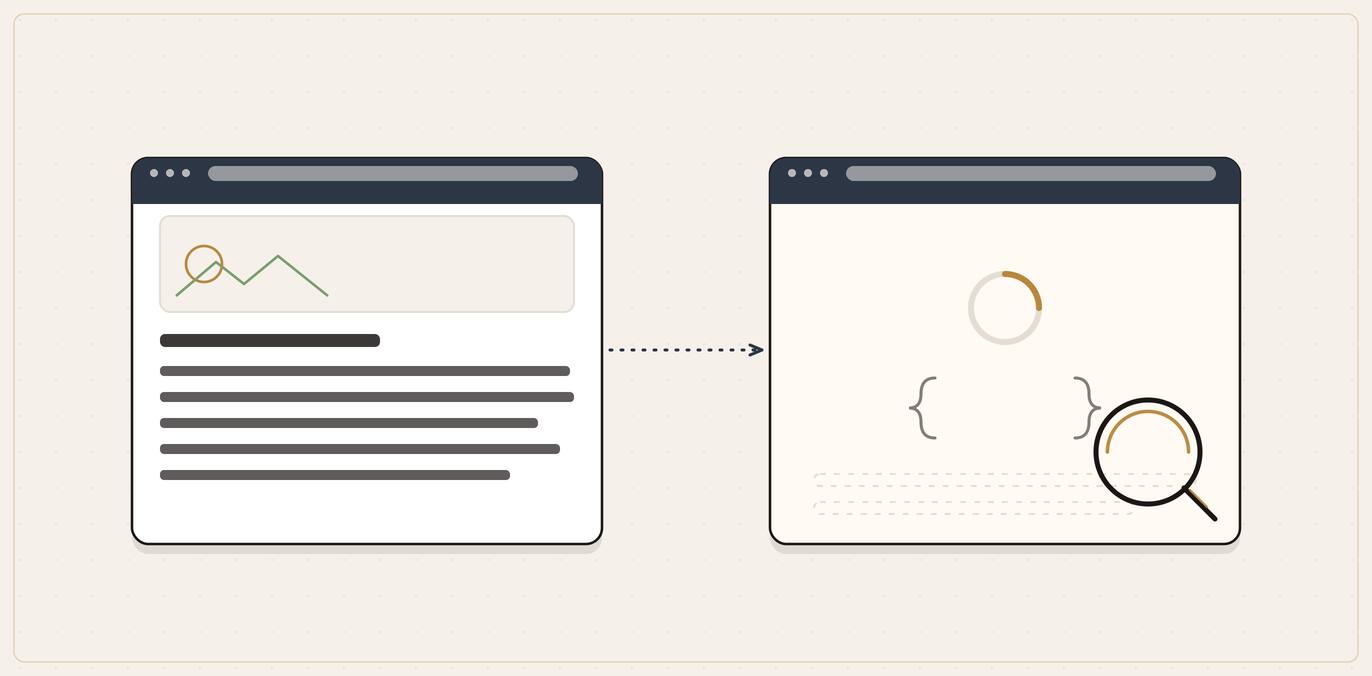
Often not. Many websites load their real content with JavaScript that runs in the visitor's browser, and most AI crawlers, including OpenAI's, Anthropic's Claude and Perplexity, do not run JavaScript. They read the raw page that arrives first, so if that page is an empty shell until the script runs, your business is effectively invisible to them even though it looks perfect to you. You can check it yourself in two minutes with the "view source" test below; the fix is usually server-side rendering, a settings or template change rather than a rebuild.
You can do everything else right. Great reviews, a complete Google Business Profile, clear service pages, genuine mentions across the web. And still, when someone asks ChatGPT or Google's AI for a business like yours, you are nowhere. The answer names two competitors and stops.
There is a technical reason this happens to good businesses, and almost nobody explains it to the person who actually owns the site. It comes down to a single question: when an AI tool visits your website, can it actually read the page, or does it see a near-blank screen?
For a lot of modern small-business sites, the straight answer is "a near-blank screen." The culprit is JavaScript, the technology many website builders use to load content. And the fix, or at least the diagnosis, is something you can check yourself in about two minutes, no developer required.
It is a technical topic, but it sits underneath your AI visibility rather than being the heart of it: if you have not yet read the bigger picture, start with our pillar guide to Answer Engine Optimisation for local businesses, then come back here to check your foundations.
The short version
- Content often loads with JavaScript. Many websites today load their actual content using JavaScript, code that runs in a visitor's browser after the page first arrives.
- Humans never notice. A normal visitor's browser runs that code instantly, so the page looks complete to you.
- Most AI crawlers do not run JavaScript. They read the raw page that arrives first, and if it is empty until the script runs, they see nothing useful.
- The result is invisibility. Your business can be completely absent from AI answers even though the site looks perfect to you.
- It is checkable and fixable. Two minutes to diagnose with the view-source test; the fix is usually a rendering setting for your web person, not a rebuild.
If that is enough to send you to the self-check below, skip ahead. If you want to understand why it happens so you can have a sensible conversation with whoever built your site, read on.
What "loading with JavaScript" actually means
When you visit a website, two things happen in quick succession that feel like one.
Side by side
Where your content lives decides who can read it
| In the raw HTML | Loaded by JavaScript | |
|---|---|---|
| When it appears | In the first page that arrives, before any code runs | Injected a moment later, after the browser runs a script |
| Who can read it | Any visitor or crawler, whether or not it runs JavaScript | Only visitors whose browser runs the code |
| Effect on AI visibility | The crawler reads your services and contact details | A non-rendering crawler sees a near-blank shell |
First, your browser downloads the raw page: the initial HTML. Think of this as the page before any clever stuff runs. On an old-fashioned, simply built website, this raw page already contains everything: your business name, your services, your phone number, your opening hours, all of it, written into the HTML as plain text.
Second, on many modern sites, your browser runs JavaScript that builds the visible page after the fact. The raw HTML that arrives first is close to empty, a shell, and the real content (the words, the headings, the contact details) gets injected a moment later by code running inside your browser. Google's own developer guidance calls this the "app shell model", where "the initial HTML does not contain the actual content and Google needs to execute JavaScript before being able to see the actual page content that JavaScript generates" (Google Search Central, JavaScript SEO Basics)[1].
For a human, this is invisible and harmless. The code runs in milliseconds and you see a finished page. The trouble starts with visitors that are not human and do not run the code.
It is a question of where your content lives: in the raw page that everyone can read, or only in the version that exists after a browser does extra work.
Why AI crawlers are different from your browser
An AI tool does not visit your website the way you do. It sends out an automated programme, a "crawler" or "bot", to fetch your page and read the contents. The question that decides everything is whether that bot runs JavaScript the way a browser does.
How the page goes blank
Why a perfect-looking site can read as empty
The crawler arrives
An AI bot sends an automated fetch to read your page's contents.
The raw page
It gets the initial HTML, which on a JavaScript-driven site is close to an empty shell.
No rendering
Most AI crawlers do not run JavaScript, so the content never gets built for them.
You are invisible
It reads a near-blank page, so your business is absent from the answer even though the site looks perfect to you.
Many do not.
Google is unusually direct about this, even for its own search engine. While Googlebot does render JavaScript with an up-to-date version of Chrome, Google still warns site owners plainly: "server-side or pre-rendering is still a great idea because it makes your website faster for users and crawlers, and not all bots can run JavaScript" (Google Search Central, JavaScript SEO Basics)[1]. That last clause is the whole problem: not all bots can run JavaScript.
And it is worse for Google than it looks, because even Googlebot does not render every page instantly. Google describes a two-step process: it crawls the raw HTML first, then queues the page separately for rendering, and "the page may stay on this queue for a few seconds, but it can take longer than that" (Google Search Central)[1]. Anything that depends on JavaScript waits in line to be seen, while the plain-text content on a simpler site is read immediately.
Outside Google, the picture is starker. Vercel, the company behind the Next.js web framework, worked with the technical-SEO firm MERJ to analyse real server logs across its network and watch how the major AI crawlers actually behave. The finding was blunt: "none of the major AI crawlers currently render JavaScript", a group that includes OpenAI's crawlers, Anthropic's Claude, Perplexity, Meta and ByteDance (Vercel and MERJ, The rise of the AI crawler, 2024)[3]. Those crawlers do fetch JavaScript files, but, in Vercel's words, "they don't execute them. They can't read client-side rendered content." The practical takeaway follows directly: any important content "should be server-rendered" (Vercel and MERJ, 2024)[3].
So you have two overlapping risks for a JavaScript-dependent site:
- The foundation problem. AI systems lean heavily on existing search indexes (Google, Bing) to discover content in the first place. If a crawler cannot read your page, your content may never make it into the pool the AI draws from.
- The real-time problem. When an AI tool fetches your page directly, right now, to answer a fresh question, the crawler doing that fetch often will not run your JavaScript, so it sees the empty shell.
Either way, the outcome for the owner is the same: a site that looks complete to you can be functionally blank to the AI deciding whether to recommend you.
Who is most at risk
It is most likely to bite exactly the businesses that thought they had done the modern, professional thing. You are more likely to be affected if:
- Your site was built on a drag-and-drop builder and uses heavily interactive templates or apps. Some builder setups render content cleanly for crawlers; others lean hard on JavaScript. It depends on the specific theme and how it was built, which is exactly why you need to test rather than assume.
- Your site is a single-page app or was built by a developer using a modern JavaScript framework (React, Vue, Angular and similar) without server-side rendering switched on.
- Your most important content (services, locations, prices, contact details) only appears after the page visibly "loads in", a flash of blank or skeleton screen followed by the content appearing.
- Your site uses client-side routing, where clicking between pages feels instant and the page never fully reloads. Google specifically flags that this can create "soft 404" problems and that links must be real HTML links for crawlers to follow them (Google Search Central, JavaScript SEO Basics)[1].
A locksmith on a simple WordPress site with a standard theme is probably fine. A landscaping firm whose nephew built them a slick React site, or a dental practice on a heavily app-laden builder template, is exactly the kind of business that can be invisible without anyone realising. The better-looking the site, sometimes, the higher the risk.
Test your own site in two minutes (three ways, no code)
You do not need a developer to find out whether you have this problem. Here are three checks, from quickest to most thorough.
Test 1: the "view source" check
This shows you the raw page, the version that arrives before any JavaScript runs. It is the closest thing to seeing your site the way a non-rendering crawler sees it.
The two-minute self-check
The view-source test: what the result means
Ask
In "View page source", can you find your phone number or a service name?
Good sign
That content is in the raw page, so a crawler that does not run JavaScript can still read it.
The warning sign
Your content is being added by JavaScript after the raw page loads, so non-rendering AI crawlers may never see it.
- Open your website in a desktop browser.
- Right-click anywhere on the page and choose "View page source" (or "View source"). On most browsers you can also press Ctrl+U (Windows) or Cmd+Option+U (Mac).
- A page of raw code opens. Now use Find (Ctrl+F or Cmd+F) and search for a distinctive piece of your own content: your phone number, a specific service name, or a sentence from your homepage.
If you find it: good sign. That content is in the raw page, so a crawler that does not run JavaScript can still read it.
If you cannot find it anywhere in the source, even though it is clearly visible on the normal page, that is the warning sign. Your content is being added by JavaScript after the raw page loads, which means non-rendering AI crawlers may never see it.
Test 2: the "JavaScript off" check
This simulates a visitor (or bot) that cannot run JavaScript at all.
- In Chrome, open the page, then open Developer Tools (press F12 or right-click and choose "Inspect").
- Press Ctrl+Shift+P (Cmd+Shift+P on Mac) to open the command menu, type "Disable JavaScript", and select it.
- Reload the page while Developer Tools stays open.
If the page still shows your content: strong sign you are fine. If it goes blank, shows a skeleton, or loses its text: that blank page is roughly what a non-rendering crawler gets. That is the trap.
Test 3: ask the AI directly
The real-world check. Open ChatGPT (with web browsing or search enabled), Google's AI Mode, and Perplexity, and ask each to summarise your business or pull a specific fact from your site, your opening hours, your list of services, your prices. Better still, paste your homepage URL and ask "what does this business do, based on this page?"
If the AI confidently and accurately describes your services, your page is readable. If it says it cannot access meaningful content, gets your offering wrong, or describes a blank or near-empty page, you have your answer, and your problem.
Run all three if you can. Test 1 and Test 2 tell you why; Test 3 tells you what the AI actually experiences.
What to do if you fail the test
The good news: this is a solved problem, and you almost certainly do not need to rebuild your site from scratch. You do need your web person (or your site builder's settings) to change how the content is delivered, not what the content says. The goal is simple to state: make sure your important content is in the raw HTML that arrives first, before any JavaScript runs.
If you fail the test
What to ask for: change delivery, not content
Turn on server-side rendering or pre-rendering.The main fix: the page is built on the server and arrives complete, so any crawler reads it immediately.
Get critical content into the raw HTML.Name, services, locations, prices and contact details present in the raw page; fancy extras can still load dynamically.
Use real links, not script-driven navigation.Genuine HTML links with an href, so crawlers can discover and follow them.
Check you are not blocking the crawlers.Make sure your robots.txt is not telling AI bots to stay away in the first place.
Re-test after the change.Search the raw source again for your phone number and services to confirm they are now there.
Here is what to ask for, in plain terms.
1. Turn on server-side rendering or pre-rendering
This is the main fix, and it is the one both Google and Vercel's crawler research point to. Server-side rendering (SSR) means the page is built on the server and arrives already complete, with your content baked into the raw HTML, so any crawler reads it immediately. Pre-rendering achieves a similar result by saving a finished version of each page for bots to fetch.
Google recommends it directly: "server-side or pre-rendering is still a great idea because it makes your website faster for users and crawlers, and not all bots can run JavaScript" (Google Search Central, JavaScript SEO Basics)[1]. Vercel and MERJ reach the same conclusion from the AI-crawler side, telling site owners to "prioritize server-side rendering for critical content" precisely because "ChatGPT and Claude don't execute JavaScript" (Vercel and MERJ, 2024)[3].
If you are on a modern framework (Next.js, Nuxt and similar), your developer can usually enable SSR or static generation without rewriting the whole site. If you are on a site builder, the question for their support team is: "does this template deliver my page content in the initial HTML, and if not, is there a setting or a different template that does?"
2. Get critical content into the raw HTML, even if the rest stays dynamic
You do not have to make the entire site static. The aim is that your load-bearing content (business name, services, locations, prices, contact details, your main headings and descriptions) is present in the raw page. Fancy interactive extras can still load with JavaScript; just do not let the facts that win you customers live only there.
3. Use real links, not script-driven navigation
Make sure the links between your pages are genuine HTML links (an `a` tag with a real web address), not buttons that only work through JavaScript. Google is explicit that it "can only discover your links if they are HTML elements with an href attribute" (Google Search Central, JavaScript SEO Basics)[1]. If a crawler cannot follow your navigation, it cannot reach your inner pages at all.
4. Make sure you are not accidentally blocking the crawlers too
While you are looking under the bonnet, check that your site is not telling AI crawlers to stay away in the first place. The instructions for bots live in a file called robots.txt. As an example, OpenAI uses separate bots for separate jobs: OAI-SearchBot surfaces your site in ChatGPT's search answers, while GPTBot is about training.
OpenAI's guidance notes that "sites that are opted out of OAI-SearchBot will not be shown in ChatGPT search answers" (OpenAI, Overview of OpenAI Crawlers)[2]. It is worth confirming you have not blocked the search crawler that actually decides whether you appear. The full allow-or-block decision, with the trade-offs, is its own topic; if you want to weigh it properly, see our guide on whether to let AI bots crawl your site.
5. Re-test after the change
Once your web person has made the change, run the three tests above again. The "view source" check is the clearest confirmation: search the raw source for your phone number and services and make sure they are now there.
How this fits the bigger picture
It is worth keeping this in proportion. Fixing JavaScript rendering does not, on its own, get you recommended by AI. It removes a hidden blocker so that everything else you do, your reviews, your Google Business Profile, your clear service pages, your off-site presence, can actually count. Think of it as making sure the front door is unlocked before you worry about how nicely the house is decorated.
If your site passes the tests, brilliant: this was never your problem, and your effort belongs in the local AEO playbook instead. If it fails, this may be the single most valuable fix on your list, because no amount of good content helps if the AI cannot read a word of it.
Common mistakes
- Assuming a good-looking site is a readable site. Visual polish and machine-readability are different things. A beautiful React site can be invisible to non-rendering crawlers.
- Testing only in your own browser. Of course it looks fine to you: your browser runs the JavaScript. The whole point is to see the page without that step.
- Trusting that "Google renders JavaScript" means you are safe. Googlebot does render it, eventually and in a queue, but many other AI crawlers do not, and Google itself still recommends server-side rendering.
- Rebuilding the whole site in a panic. The fix is usually a rendering setting or a template change, not a ground-up rebuild.
- Fixing the rendering but leaving the content thin. A readable page still needs real, plain-English answers on it. Readability is the floor, not the ceiling.
Frequently asked questions
Can AI read my website?
Sometimes yes, sometimes no, and it depends on how your site is built. If your content is in the raw HTML that arrives first, most crawlers can read it. If your content is loaded by JavaScript after the page arrives, crawlers that do not run JavaScript will see a near-empty page. Google itself warns that "not all bots can run JavaScript" (Google Search Central)[1]. Use the view-source test above to find out which case you are in.
Do AI crawlers run JavaScript?
Many do not. Googlebot renders JavaScript but does so in a separate, queued step. A Vercel and MERJ analysis of real server-log data found that "none of the major AI crawlers currently render JavaScript", including OpenAI's crawlers, Anthropic's Claude and Perplexity (Vercel and MERJ, 2024)[3].
My site is on Wix / Squarespace / a builder. Am I at risk?
Possibly, and you should test rather than assume. It depends on the specific template and how heavily it relies on JavaScript to display content. Run the view-source and JavaScript-off checks above. If your text shows up in both, you are fine; if it disappears, raise it with the builder's support team.
What is server-side rendering, in plain terms?
It means the page is fully built on the server and arrives complete, with your content already written into the raw HTML, so any visitor or crawler reads it immediately without needing to run code. Both Google and Vercel's crawler research recommend it for visibility to crawlers (Google Search Central)[1].
Will fixing this get me into ChatGPT and Google's AI answers?
Not by itself. It removes a blocker so the rest of your work can count. Being recommended still depends on reviews, a complete Google Business Profile, clear content and off-site presence, all covered in the local AEO pillar. But if the AI genuinely cannot read your site, none of that other work can help, which is why this comes first.
Do I need a developer to fix it?
Usually yes for the fix, but not for the diagnosis. You can run all three tests yourself. The fix, enabling server-side rendering or switching to a crawler-friendly template, is normally a job for whoever maintains your site, and it is a routine, well-understood change.
How do I check if AI can read my website without a developer?
Use the view-source test. Open your site, right-click and choose "View page source", then search that raw code (Ctrl+F or Cmd+F) for your phone number or a specific service. If your content is there, non-rendering crawlers can read it. If it is missing even though it shows on the normal page, JavaScript is adding it after load and the crawlers may never see it. Disabling JavaScript in your browser and reloading is a good second check.
Why can a beautiful, modern website be worse for AI than a plain one?
Because visual polish and machine-readability are different things. Many slick sites are built on JavaScript frameworks or heavy builder templates that assemble the page in the browser, which is exactly what non-rendering crawlers cannot see. A simple site that writes its content straight into the raw HTML is often more readable to AI than an expensive interactive one, so the better-looking site can carry the higher risk.
Does this only affect ChatGPT, or Google too?
Both, in different ways. A Vercel and MERJ analysis found none of the major AI crawlers currently render JavaScript, so tools like ChatGPT, Claude and Perplexity see the raw page. Google's own crawler does render JavaScript, but in a separate queued step that can take longer than a few seconds, and Google still recommends server-side rendering because not all bots can run JavaScript. Serving your content in the raw HTML covers you across all of them.
How long does it take AI to see my site after I fix the rendering?
The rendering fix itself is immediate once deployed: the raw page now contains your content. How quickly that shows up in AI answers depends on when each crawler next visits and re-reads your site, which is on its own schedule rather than yours. Re-run the view-source test straight away to confirm the fix, then allow the AI tools some weeks to re-crawl before judging the effect on answers.
Where to start
Run the view-source test now, while you are thinking about it: open your site, view the page source, and search it for your phone number and main service. Two minutes will tell you whether you have this problem at all. If your content is there, you can stop worrying and move on to the rest of your AI-visibility work. If it is missing, you have found something genuinely important, and your next step is a short conversation with your web person about server-side rendering.
If you would rather have someone check the whole picture for you, whether AI can read your site, whether you appear in the answers, and what is holding you back, that is what a QBiz AI Visibility audit does. We crawl your site the way the AI engines do, flag every page that loads blank without JavaScript, and hand back a fix-list ordered by what is costing you the most visibility. It costs nothing and it tells you whether anything else you do can even be seen.
Get your AI Visibility audit →
Sources
- [1] Google Search Central, "Understand JavaScript SEO Basics": https://developers.google.com/search/docs/crawling-indexing/javascript/javascript-seo-basics (primary; "not all bots can run JavaScript" and server-side/pre-rendering recommended; the app-shell model where initial HTML lacks the actual content; rendering happens in a separate queued step that "can take longer" than a few seconds; links must be HTML elements with an href attribute to be discovered; client-side routing soft-404 risks)
- [2] OpenAI, "Overview of OpenAI Crawlers": https://developers.openai.com/api/docs/bots (primary; OAI-SearchBot surfaces sites in ChatGPT search answers while GPTBot is for training; sites opted out of OAI-SearchBot "will not be shown in ChatGPT search answers"; robots.txt is the control)
- [3] Vercel and MERJ, "The rise of the AI crawler," 17 December 2024: https://vercel.com/blog/the-rise-of-the-ai-crawler (real server-log analysis across Vercel's network; "none of the major AI crawlers currently render JavaScript" for OpenAI, Anthropic, Perplexity, Meta and ByteDance; ChatGPT and Claude fetch JavaScript files but "don't execute them"; recommends server-side rendering for critical content)
Leave a comment
Thoughts on this post? Leave a comment below. Comments are moderated before they appear, so yours will not show on the page straight away.
Your email is used only to contact you about your comment if needed — it is never published.
Comments
No comments yet. Be the first to leave one above.