How to Measure AI-Search ROI: A GA4 and Attribution Guide
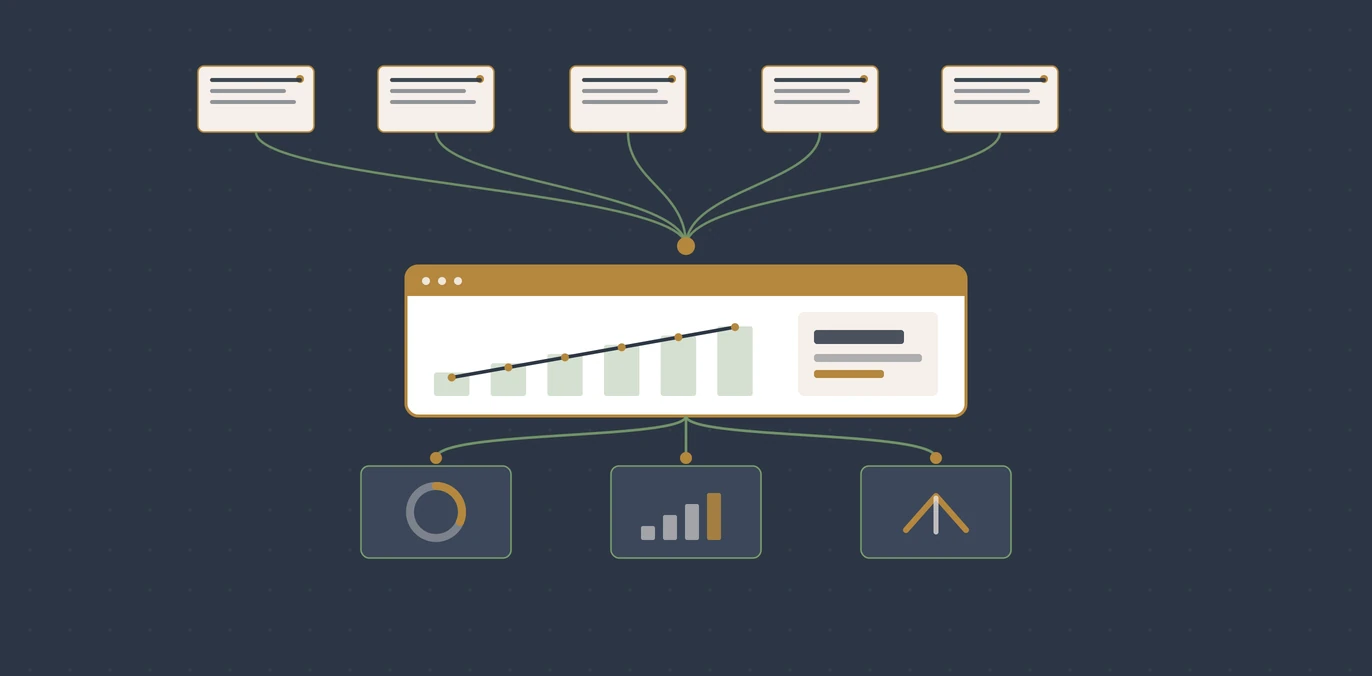
AI search sends real customers, but a large share of it never shows up as a tidy "ChatGPT" line in your reports: it lands in Direct or under a generic referral, because the assistant often strips or omits the referring source. To measure it, watch GA4's AI Assistants channel, track the AI referral hostnames you can see, and judge the traffic on engagement and conversions rather than rankings. The visible number is a floor, not the full picture, and even that floor is worth acting on.
The GA4 "Direct" spike nobody ordered
You open Google Analytics on a Monday. Direct traffic is up, noticeably, and you did not run a campaign, print a flyer, or buy an ad. Nothing obvious explains it. A month ago you would have shrugged and moved on. Now you have a suspicion: an AI assistant recommended you, someone tapped through, and the visit arrived with no label attached.
That suspicion is usually right, and the reason it is hard to prove is baked into how analytics tools attribute traffic. This guide walks through what is actually happening, how to see as much of it as the tools allow, and which numbers are worth watching once you can.
Why AI traffic hides in Direct
Google Analytics files a visit as "(direct) / (none)" when it cannot see a clear referral source. Google's own documentation is plain about the causes: "When links to your site lack UTM parameters ... traffic source information is lost," redirects "can strip UTM parameters from the URL," and traffic from "users who visit your website by entering the URL directly ... or through links from offline documents such as PDFs" is classified as direct.[4] Ad blockers add more of the same.
AI assistants trip several of these at once. Many answer surfaces open links in a way that passes little or no referrer, and few carry campaign tags. So a genuine AI-driven visit frequently arrives looking like someone who typed your address from memory.
How a real AI visit loses its label
AI names you
An assistant recommends your business in its answer
Visitor clicks
They tap the link straight to your page
Referrer dropped
The surface passes little or no source, and no campaign tag
Logged as Direct
GA4 files it under "(direct) / (none)"
In a study of 3,000 websites, Ahrefs found that 63% of sites receive AI traffic, then added the caveat directly: "some AI traffic will pull through as 'direct' ... this data represents just the visible AI traffic, the minimum amount of AI visitors a website receives."[1] In other words, whatever you can measure is the floor. The real figure is higher. That single fact reframes the whole exercise: you are not trying to capture every AI visit, you are trying to see enough of the pattern to act on it.
The channel that finally names it: GA4 "AI Assistants"
Google has added a dedicated default channel for exactly this traffic. Per Google's channel documentation, "AI Assistants is the channel by which users arrive at your site from sources like ChatGPT, Gemini, Deepseek, Copilot, or Grok."[3]
That same doc states the AI Assistants channel "excludes Google's AI Overviews and AI Mode."[3] So a click from Google's own AI answer does not land here, it behaves like other Google traffic. The AI Assistants channel captures the standalone assistants, not the AI answers stitched into Google Search. Read your reports with that boundary in mind or you will undercount one and misread the other.
What the AI Assistants channel does and does not catch
Counted in AI Assistants
Standalone assistants, named in Google's own list
- ChatGPT
- Gemini
- Copilot
- Deepseek
- Grok
Not in this channel
Excluded, so it reads as ordinary Google traffic
- Google AI Overviews
- Google AI Mode
Because it is a default channel group, it applies automatically, with nothing to configure. If you are on an older setup or a custom channel group, this is the moment to check that the AI Assistants channel exists and is not being folded into "Unassigned".
Where Google's own AI answers get counted
The exclusion above leaves an obvious hole: if a click from an AI Overview behaves like ordinary Google organic traffic, how do you measure it at all? Not in GA4, which has no dimension that separates an AI Overview click from a blue-link click. The answer sits in Search Console instead.
In June 2026 Google announced "the launch of new Search Generative AI performance reports in Search Console, including dedicated reports for Search and Discover."[6] The reports give "dedicated views of your impressions within generative AI features on Search, such as AI Overviews and AI Mode."[6] That is the surface GA4 deliberately leaves out, reported from Google's side of the click instead of yours.
Three limits shape what you get from it, and all three are stated in Google's own documentation:
- It reports impressions, not sessions. The metric is defined as "how many times links to your site were shown to a user in a generative AI feature on Google Search."[7] You learn that you were surfaced, not that anyone arrived.
- Not every site has it yet. Google states plainly that "Not all properties have access to the report, as we're rolling out over time."[7] The report may also be empty because "Your site hasn't received enough impressions in generative AI features on Google Search."[7] An empty report is two different findings wearing the same face.
- Labs traffic is absent. "Search Console doesn't include data from experiments in Search Labs, as these experiments are still in active development."[7]
So the practical method is to read the two tools as a pair rather than expecting either to be complete. Search Console tells you whether Google's AI features are showing your pages, broken out by page, country, device and date.[7] GA4 tells you what the arriving visitors then did. Neither joins the two halves for you, and no setting will make it do so.
What you can do is line up the dates. If generative AI impressions for a page climb in Search Console, and that page's organic sessions and conversions climb in GA4 over the same window, you have a defensible read on the AI Overviews side of your traffic. It stops short of precision, and the tools do not offer precision here anyway.
One reporting detail catches people out when they compare the two. Search Console dates run on Pacific Time, and "All dates are in Pacific Time Zone (PT)" in this report,[7] while your GA4 property runs on whatever reporting time zone you set. Comparing a Monday in one against a Monday in the other will misalign the edges of every window you look at.
What you can see, and what you can't
Even outside the tidy channel, the assistants that do pass a referrer show up under recognisable hostnames. In your GA4 acquisition reports, filter Session source for values such as chatgpt.com, perplexity.ai, gemini.google.com and copilot.microsoft.com. Those are your confirmed, attributable AI visits.
Everything else, the portion that arrives unlabelled, is the part you infer rather than see. A practical way to sense its scale: watch whether your Direct traffic climbs at the same time your visible AI referrals climb, and whether Direct visitors are landing on deep, specific pages (a single service page, a pricing page) rather than your homepage. People who type your address from memory tend to hit the homepage. People sent by an assistant tend to arrive deep, on the exact page the answer pointed at.
The metrics that replace rankings
The hardest mental shift is deciding what "good" looks like. Ranking position, impressions and click volume were the currency of search. AEO runs on different signals, because an AI recommendation is a smaller number of far warmer visits. Judge it accordingly.
| The rankings era measured | AEO measures instead |
|---|---|
| Keyword position | Whether you are the cited answer at all |
| Impressions and clicks | Visible AI referrals plus movement in Direct |
| Click-through rate | Engagement rate and time on the landing page |
| Traffic volume | Conversions and enquiries per AI visit |
| Average across all visits | Value of a qualified, decision-ready visit |
That last row is the point of the whole channel. Semrush's study of over 500 high-value topics found that "the average AI search visitor ... is 4.4 times as valuable as the average visit from traditional organic search, based on conversion rate."[5] The logic is intuitive: by the time an assistant sends someone to you, it has already answered their questions and compared their options, so they arrive close to a decision. A handful of AI visits can outperform a flood of cold search clicks. Counting raw volume alone will make a genuinely valuable channel look trivial.
Setting it up in GA4, step by step
None of this needs a new tool. Five moves in the analytics you already run turn the guesswork into a repeatable read.
The five-step GA4 setup
Confirm the AI Assistants channel is live
In Reports, Acquisition, Traffic acquisition, set the dimension to Session default channel group and look for AI Assistants. If it is missing, update your channel grouping.
Build an AI referral view
Add a comparison or filter for Session source matching the AI hostnames. This is your visible-AI baseline: the floor.
Tag every link you control
Newsletters, profiles and PDF documents can carry UTM parameters so they stop dumping into Direct and muddying the signal.
Mark your key events
Make enquiries, calls, bookings and form submissions into GA4 key events, so you can measure conversions per AI visit, not just visit counts.
Watch Direct as a paired signal
Track Direct alongside your visible AI referrals over time. Correlated rises, especially onto deep pages, are a proxy for the traffic the tools cannot label.
Keep the scale realistic
Set expectations before you read the first report, or a real channel will look like a rounding error. Across roughly 35,000 sites, Ahrefs found AI still sends "just 0.1% of total referral traffic," and that smaller sites see more of it: "Sites receiving under 10K visits can now expect 0.3% of their traffic to come from LLMs, vs. 0.1% for those exceeding 1 million visits."[2] Among the AI sources, ChatGPT is dominant, "accounting for 50% of AI traffic".[1]
63% of sites
Already receive measurable AI traffic, on a study of 3,000 websites, so this is a live channel, not a future one.
0.1% of referral traffic
The visible AI share today, rising to about 0.3% for smaller sites. Treat it as a floor, not a ceiling.
4.4× more valuable
How an AI-referred visit compares with an ordinary organic one, measured by conversion rate.
50% of AI traffic
Comes from ChatGPT, the single largest AI referrer, so it is the first hostname to watch.
So the volume is small today and growing. The value per visit is high. That combination is precisely why you measure it now: to catch the trend while it is cheap to act on, and to prove the return before it becomes obvious to everyone. If you want the wider context on why so much search now ends without a click at all, our piece on the zero-click search era and the breakdown of how often Google answers with AI both set the scene.
Reading the numbers over time, not in one report
A single month of AI referral data will tell you almost nothing you can act on. The visible share is small enough that ordinary week-to-week noise swamps it, and the unlabelled share can only be inferred from a trend line rather than a snapshot. Set the reporting rhythm before you set expectations.
Fix a comparison window and keep it. Inside that window there are four things worth writing down each time:
- Sessions in the AI Assistants channel, as your labelled floor.
- Sessions from AI hostnames under Session source, which catches referrers the channel grouping has not yet absorbed.
- Direct sessions landing on deep pages, separated from Direct sessions landing on the homepage. The split matters more than the total, because the deep-page share is the part an assistant plausibly sent.
- Key events per session for each of the above, against the same figure for ordinary organic. This is the ratio that tells you whether the channel is earning its attention.
Record them as a short row per month rather than a dashboard. Is the labelled floor rising? Is deep-page Direct rising with it? Does the conversion ratio hold as the volume grows? That last one is the question a dashboard will never answer for you, because the interesting comparison is against your own baseline rather than against anyone's benchmark.
Annotate the row whenever you change something on the site: a rebuilt service page, new schema, a change to how you answer a common question. Without that note, a rise six weeks later has no traceable cause and you will end up guessing at which change earned it.
When the AI Assistants channel shows nothing
An empty channel is a diagnosis, not a dead end, and it has several distinct causes that call for different responses. Work through them in this order, because the cheap checks rule out the expensive conclusions.
First, confirm the channel exists rather than that it is empty. If your property runs a custom channel group, AI assistant traffic may be landing in Unassigned or in a rule you wrote before the channel existed. Switch the dimension to Session default channel group and look again. A custom grouping that never mentions the AI hostnames will hide the traffic rather than report zero.
Second, check the hostnames directly. Filter Session source for the assistant hostnames regardless of what the channel says. If those sessions exist while the channel reads empty, the problem is your grouping, not your visibility.
Third, check the date range and the property. And if you run more than one GA4 property, confirm you are reading the one your live site actually reports into.
Fourth, check whether you have excluded yourself. For Google's own AI features this is an explicit setting rather than an accident of measurement. Google's documentation notes that a missing generative AI report may be because "you've excluded your site from Search generative AI features". To be eligible you must "make sure that you've included your site in Search generative AI features."[7] A nosnippet or max-snippet directive applied site-wide will do this quietly.
Only once those four are clear is an empty channel telling you something about visibility rather than about configuration. At that point the question stops being a measurement question. If the assistants are not sending anyone, examine whether your pages answer the questions people ask in a form a machine can lift. That is a content and structure problem rather than an analytics one.
A quick self-check you can run today
You do not need a new tool to start. Open GA4 and answer three questions:
- Is there an AI Assistants channel with any sessions in it over the last 90 days?
- When you filter Session source to the AI hostnames, are those visitors landing on deep service or pricing pages, and converting at a healthy rate?
- Has Direct risen in a way your own campaigns do not explain, onto those same deep pages?
Three yeses mean AI is already sending you business, and you now have the floor figure to build on. For the broader question of whether the assistants are naming you in the first place, our guide to tracking AI mentions of your business covers the free checks, and ChatGPT versus Google organic traffic unpacks why the two channels behave so differently in your reports.
Where a website check fits
Measuring the traffic tells you what is landing. It does not tell you whether your site is built so the assistants can read, understand and quote you in the first place, which is what decides how much of that traffic you earn.
That is the gap a QBiz Leads AI visibility check fills. It scans your own website for the structure, schema, clarity and machine-legibility that decide whether an AI system can parse and cite you. It returns a plain pass or fail on those signals. It does not query ChatGPT, Gemini or Perplexity on your behalf, and it does not tell you whether you are currently named. It tells you whether your website is readable to the machines doing the naming, which is the part you can actually fix. Pair a clean scan with the GA4 setup above and you can both improve your machine-readiness and watch the measurable return follow.
Get your AI Visibility audit →
Frequently asked questions
Why does my AI traffic show up as Direct in GA4?
Because the assistant often passes no clear referral source. Google classifies a visit as "(direct) / (none)" when links lack UTM parameters, when redirects strip them, or when someone arrives without a trackable referrer. Many AI answer links do exactly that, so a genuine AI visit arrives unlabelled and lands in Direct.
Is there a proper AI channel in Google Analytics?
Yes. GA4 now has a default AI Assistants channel that captures arrivals from sources like ChatGPT, Gemini, Deepseek, Copilot and Grok. Note that it excludes Google's own AI Overviews and AI Mode, which behave like other Google traffic.
How much traffic should I realistically expect from AI?
Not much by volume yet. It is a fraction of a percent of total referral traffic today, and a larger fraction for smaller sites; the measured figures and their sources are in the panel further up this page. The value per visit is the point: AI-referred visitors have been measured converting better than ordinary organic ones.
Which metrics should replace rankings for AEO?
Stop leading with keyword position and raw click volume. Watch visible AI referrals, movement in Direct onto deep pages, engagement rate on the landing page, and above all conversions per AI visit. AI sends fewer, warmer visits, so value beats volume.
Can I see exactly which AI recommended me?
Only partially. You can attribute the visits that arrive under known AI hostnames or the AI Assistants channel. The share that comes through unlabelled can only be inferred, usually by watching Direct rise in step with your visible AI referrals.
Do AI crawlers show up as traffic in my GA4 reports?
No, and it is a common source of confusion. GA4 measures through a JavaScript tag that runs in a real browser, and the crawlers that AI companies use to gather content do not execute it. So the bot that read your page and the person the assistant later sent to you are entirely separate events, and only the second one can appear in GA4. If you want to know whether the crawlers are visiting at all, that evidence lives in your server logs, not your analytics.
Can server logs measure what GA4 misses?
Partly, and they answer a different question. Your web server records every request with its user agent and referrer header, whether or not any JavaScript runs, so logs will show AI crawler activity and some referrers that never reach GA4. What logs cannot tell you is what the visitor did next: no engagement, no key events, no conversions. Treat them as evidence of machine access rather than as a second traffic report.
Does a cookie banner hide some of my AI visits?
Yes, in the same way it hides a share of every other channel. If a visitor declines analytics consent, the tag does not record the session, so that visit is missing from your reports regardless of which assistant sent it. This sits underneath the labelling problem rather than beside it: consent decisions reduce what you record, and referrer stripping mislabels what survives. Both push in the same direction, which is why the visible figure is a floor rather than a measurement.
Why does one person sometimes appear as two sessions?
Because assistants often open links in an in-app browser rather than handing them to your normal one. That in-app browser keeps its own cookie storage. A visitor who reads your page there and later returns in their usual browser arrives with no prior identity attached, so GA4 counts them as a new user. It inflates user counts and depresses returning-visitor figures for exactly the traffic you are trying to study, so read those two metrics with more caution on AI sessions than on organic ones.
Should I set up a separate GA4 property just for AI traffic?
No. GA4 has no reporting views to duplicate, and filters applied at the data-stream level are destructive: anything they exclude is gone permanently rather than hidden. Keep one property collecting everything, then isolate AI traffic at reporting time using comparisons in the standard reports or segments in Explorations. That way the same underlying data can answer a question you have not thought of yet.
Sources
- [1] Ahrefs, "63% of Websites Receive AI Traffic (New Study of 3,000 Sites)". Claim: 63% of sites receive AI traffic; some of it pulls through as direct so visible AI traffic is a floor; ChatGPT accounts for 50% of AI traffic. URL: https://ahrefs.com/blog/ai-traffic-study/. Exact quotes: "63% of sites receive AI traffic overall"; "some AI traffic will pull through as 'direct'"; "this data represents just the visible AI traffic, the minimum amount of AI visitors a website receives"; "ChatGPT is the biggest referrer, accounting for 50% of AI traffic". Study of 3,000 websites.
- [2] Ahrefs, "AI Makes Up 0.1% of Traffic, but Clicks Aren't Everything". Claim: AI sends about 0.1% of total referral traffic across ~35,000 sites, rising to about 0.3% for the smallest sites. URL: https://ahrefs.com/blog/ai-traffic-research/. Exact quotes: "AI sends just 0.1% of total referral traffic"; "We studied the traffic makeup of ~35K websites"; "Sites receiving under 10K visits can now expect 0.3% of their traffic to come from LLMs, vs. 0.1% for those exceeding 1 million visits."
- [3] Google Analytics Help, "[GA4] Default channel group" (AI Assistants channel definition and exclusion). URL: https://support.google.com/analytics/answer/9756891. Exact quote: "AI Assistants is the channel by which users arrive at your site from sources like ChatGPT, Gemini, Deepseek, Copilot, or Grok. It excludes Google's AI Overviews and AI Mode."
- [4] Google Analytics Help, "[GA4] Understand (direct) / (none) traffic" (causes of unattributed direct traffic). URL: https://support.google.com/analytics/answer/15258820. Exact quotes: "When links to your site lack UTM parameters ... traffic source information is lost"; redirects "can strip UTM parameters from the URL"; direct visits include those "through links from offline documents such as PDFs and Word documents".
- [5] Semrush, "We Studied the Impact of AI Search on SEO Traffic" (study of over 500 high-value topics). URL: https://www.semrush.com/blog/ai-search-seo-traffic-study/. Exact quote: "the average AI search visitor (tracked to a non-Google search source like ChatGPT) is 4.4 times as valuable as the average visit from traditional organic search, based on conversion rate."
- [6] Google Search Central Blog, "Introducing Search Generative AI performance reports in Search Console", 3 June 2026. Claim: Search Console now reports impressions within Google's generative AI features. URL: https://developers.google.com/search/blog/2026/06/gen-ai-performance-reports. Exact quotes: "the launch of new Search Generative AI performance reports in Search Console, including dedicated reports for Search and Discover"; "dedicated views of your impressions within generative AI features on Search, such as AI Overviews and AI Mode".
- [7] Google Search Console Help, "Generative AI performance report (Search)" (metric definition, rollout, exclusions, dimensions and time zone). URL: https://support.google.com/webmasters/answer/16984139. Exact quotes: "Impressions are how many times links to your site were shown to a user in a generative AI feature on Google Search"; "Not all properties have access to the report, as we're rolling out over time"; "Your site hasn't received enough impressions in generative AI features on Google Search"; "Search Console doesn't include data from experiments in Search Labs, as these experiments are still in active development"; "you've excluded your site from Search generative AI features"; "make sure that you've included your site in Search generative AI features"; "All dates are in Pacific Time Zone (PT)".
Leave a comment
Thoughts on this post? Leave a comment below. Comments are moderated before they appear, so yours will not show on the page straight away.
Your email is used only to contact you about your comment if needed — it is never published.
Comments
No comments yet. Be the first to leave one above.